Request Logs
Every API call authenticated with one of your API Keys is recorded in Request Logs. Use it to debug integrations, audit usage, and investigate failures.
Calls made with your API keys will appear here. Logs are kept for 30 days.
Logs are per workspace and cover every agent type — the endpoint path and the API key used together identify what was called.
Accessing Request Logs
Go to Developer → Request Logs.
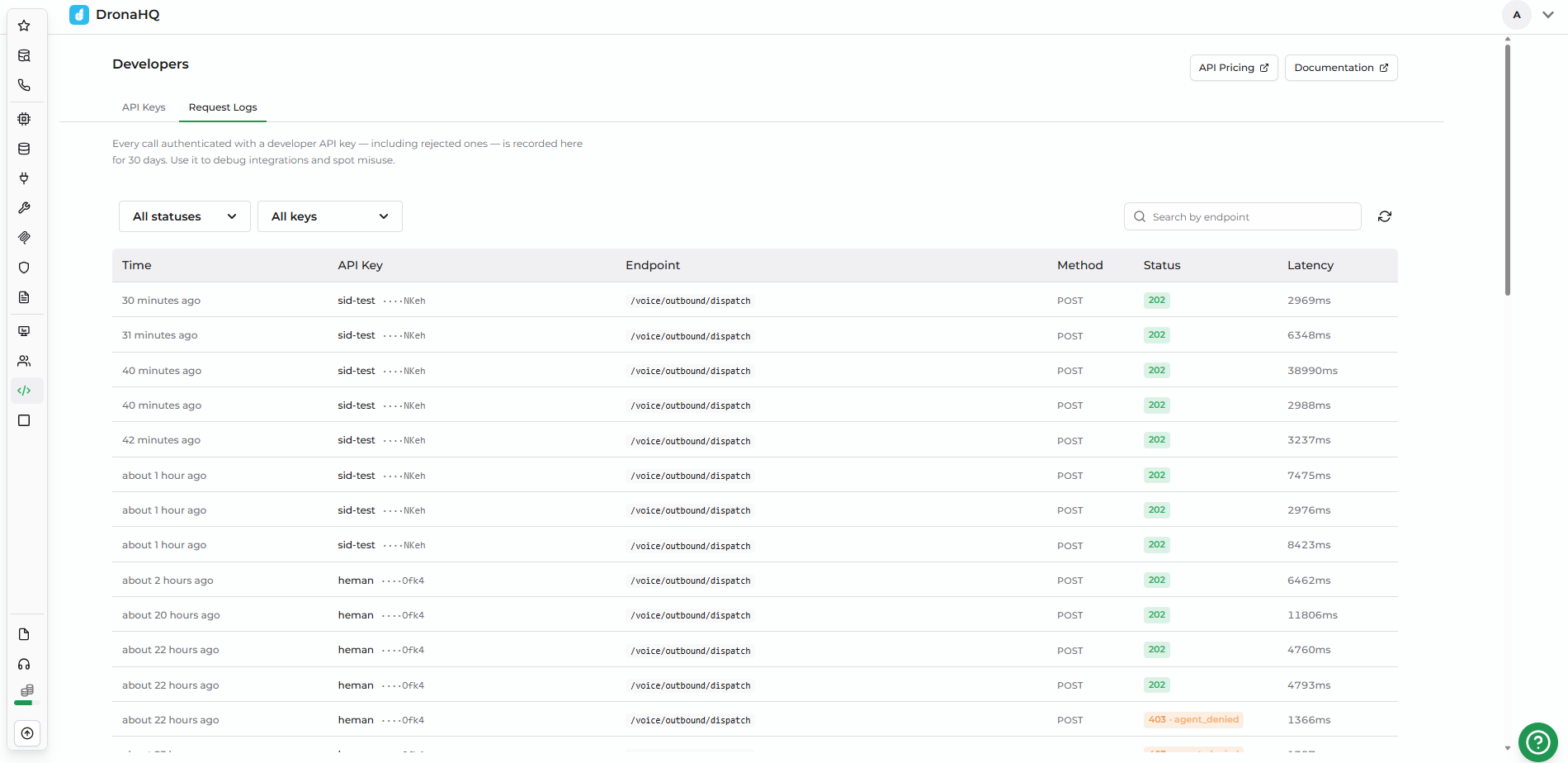
What's captured
Each row in the log represents one API request. The columns are:
| Column | Meaning |
|---|---|
| Time | Timestamp the request was received |
| API Key | Key name + last 4 characters of the secret (for example, Production Key ····a1b2). This survives key deletion, because the name and last 4 are snapshotted on the log row. |
| Endpoint | Request path |
| Method | HTTP verb |
| Status | HTTP status code. Auth-failure rows also show an error-code chip — see the troubleshooting table below. |
| Latency | End-to-end time in milliseconds |
Filtering and Searching
Three filters are available:
Status
- All statuses / 2xx Success / 4xx Client error / 5xx Server error.
Key
- All keys (default), or a specific key from the dropdown.
Search by endpoint
- Free-text substring match on the endpoint path (case-insensitive).
There is no time-range filter — the visible window is fixed at the last 30 days.
Troubleshooting with Request Logs
When a request fails, the Status column shows the HTTP code and an error code chip. Use the chip to find the right fix:
| Error code | Meaning | Fix |
|---|---|---|
missing_token | No api-key header was sent on the request | Add the header — api-key: sk_<your-secret> |
invalid_token | The header is present but the secret doesn't match any key | Re-check the value; the key may have been deleted, or you copied a stray space |
disabled | The key has been disabled in the UI | Toggle it back on, or use a different key |
expired | The key passed its Expires date | Create a new key with a future expiry and switch traffic over |
scope_denied | The key doesn't have the scope for the agent type being called (Agent / Data Agent / Voice Agent) | Edit the key and add the missing scope |
agent_denied | The key's Agent Access doesn't include the target agent | Add the agent to the key's allowlist, or set Agent Access to All Agents |
Retention
Logs are retained for a fixed rolling window of 30 days. Older rows are purged daily and cannot be recovered. There is no export today — if you need long-term audit history, scrape the logs via your own job inside the 30-day window.