Overview
Webhooks are HTTP callbacks that let a Voice Agent talk to your own systems in real time. Instead of the agent living in isolation, it can reach out at key moments in the call — right at the start, and right at the end, to pull in context or hand off data, without you having to maintain any persistent connection.
DronaHQ Voice Agents support two webhooks per agent:
- Pre-Webhook: fired before the call starts.
- Post-Webhook: fired after the call ends.
Pre-Webhook
The Pre-Webhook fires the moment a call is initiated — before the agent speaks its first word. This is what lets a voice agent sound like it "already knows" the caller, instead of starting from a blank slate.
A common use of this is pointing the Pre-Webhook URL at a knowledge base or CRM lookup endpoint. Since it runs before the conversation begins, whatever it returns can be used to build context, customer name, account history, open tickets, prior orders, that the agent uses to shape its greeting and every response after it. In effect, the Pre-Webhook is how you hand the agent its briefing before it picks up the call.
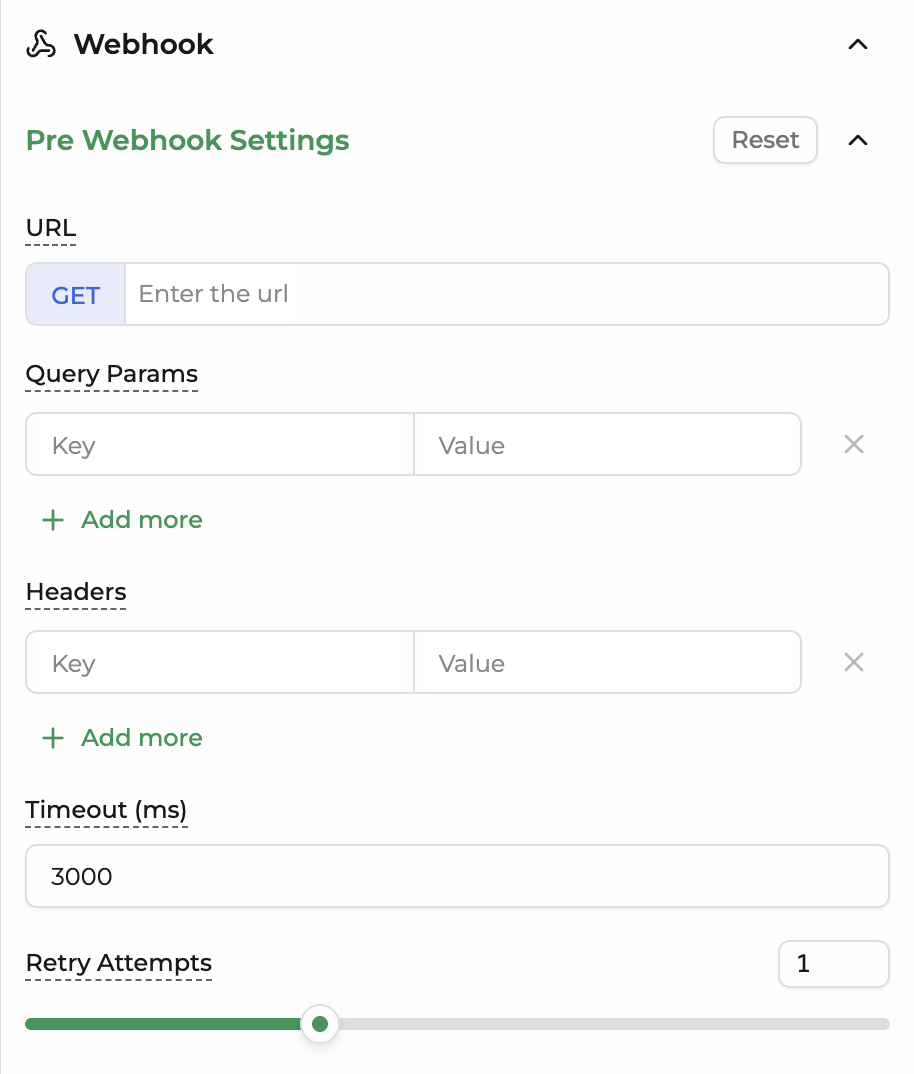
Pre-Webhook Settings
| Field | Description |
|---|---|
| URL (GET) | The endpoint the platform calls when the call is initiated, to fetch context before the agent starts speaking. |
| Query Params | Key-value pairs appended to the URL as query parameters, used to pass identifiers (e.g. caller ID, phone number) to your endpoint. |
| Headers | Key-value pairs sent as HTTP headers with the request, typically used for authentication or content-type. |
| Timeout (ms) | The maximum time the platform waits for a response before giving up on the request. |
| Retry Attempts | The number of times the platform retries the request if it fails or times out. |
Post-Webhook
The Post-Webhook fires after the call ends. This is where call data flows out to the rest of your stack, a CRM to log the interaction, a database to store the transcript, or an analytics platform to track outcomes. Since it runs after the call is already complete, it's built to carry a full payload rather than just a lookup key.
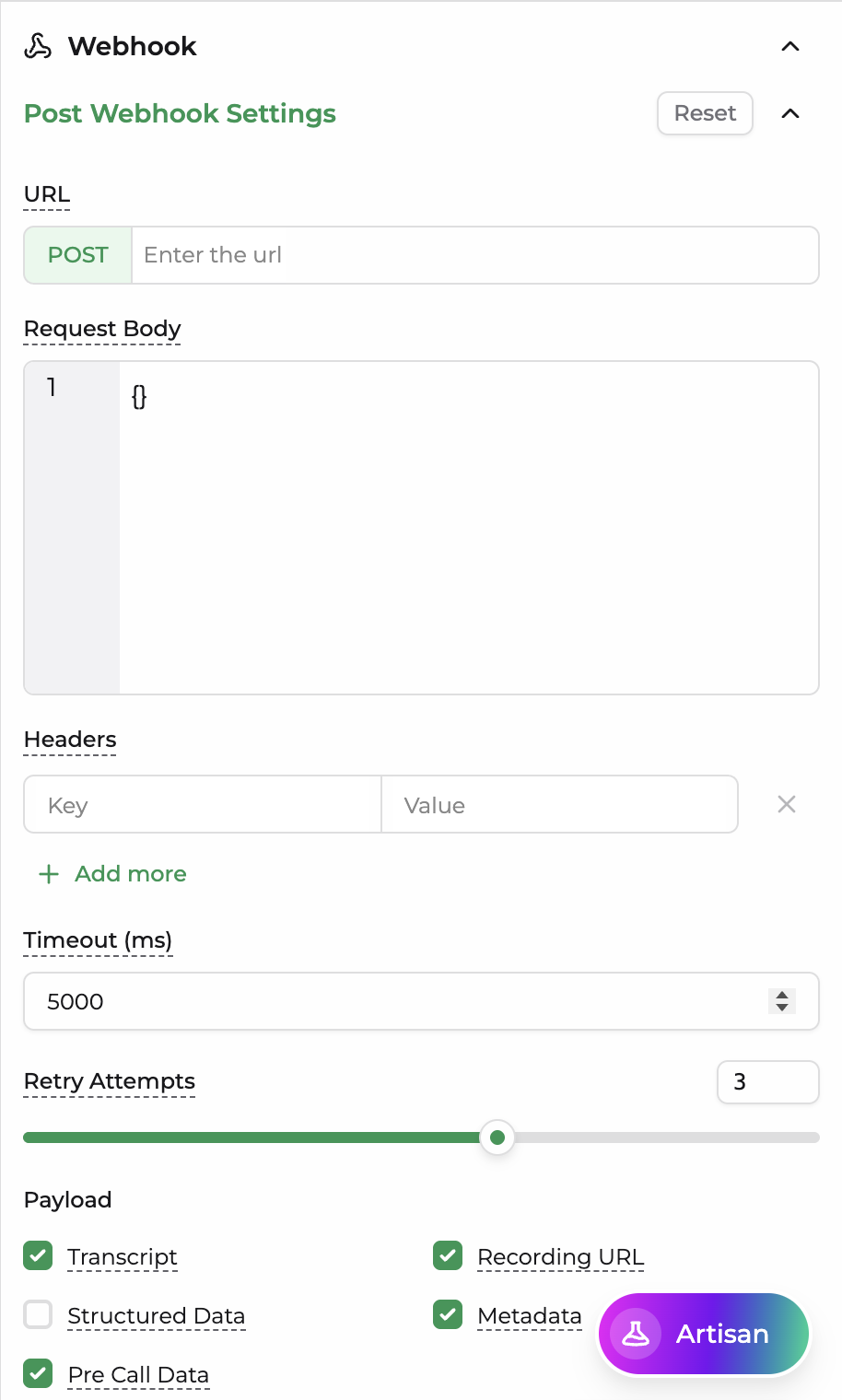
Post-Webhook Settings
| Field | Description |
|---|---|
| URL (POST) | The endpoint the platform sends call data to once the call has ended. |
| Request Body | A JSON body sent with the request, used to structure or template the outgoing payload. |
| Headers | Key-value pairs sent as HTTP headers with the request, typically used for authentication or content-type. |
| Timeout (ms) | The maximum time the platform waits for a response before giving up on the request. |
| Retry Attempts | The number of times the platform retries the request if it fails or times out. |
Payload
Controls which pieces of call data are included in the Post-Webhook request.
| Field | Description |
|---|---|
| Transcript | The full text transcript of the conversation between the caller and the agent. |
| Recording URL | A link to the recorded audio of the call, if recording is enabled. |
| Structured Data | Structured, extracted fields from the call (e.g. form data collected during the conversation). |
| Metadata | Call-level metadata such as call duration, timestamps, and identifiers. |
| Pre Call Data | The context/data returned by the Pre-Webhook at the start of the call, included so downstream systems have the full before-and-after picture. |