Overview
The Privacy section controls what gets recorded, stored, and retained for a Voice Agent's calls, along with which compliance modes apply. Get this right early — these settings decide what data exists after a call ends, and switching them on mid-flight won't retroactively apply to calls already made.
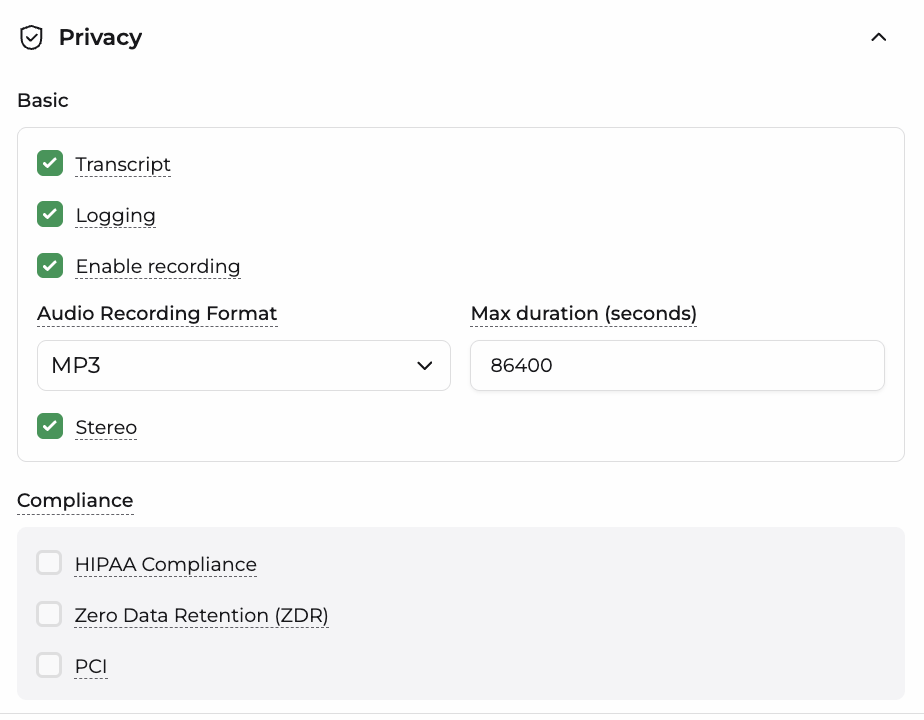
1. Basic
| Setting | Description |
|---|---|
| Transcript | Stores a text transcript of the conversation between the caller and the agent. |
| Logging | Stores call logs and metadata for the conversation (e.g. events, tool calls, timestamps). |
| Enable Recording | Records the audio of the call. |
| Audio Recording Format | The file format the call recording is saved in (e.g. MP3). |
| Max Duration (seconds) | The maximum length of a call recording before it's automatically cut off. |
| Stereo | Records the call in stereo, keeping the caller and agent on separate audio channels instead of merging them into one. |
note
When transcripts, logging, or recording are enabled, the corresponding files are stored in traces.
2. Compliance
| Setting | Description |
|---|---|
| HIPAA Compliance | Applies data handling rules aligned with HIPAA, for agents handling protected health information. |
| Zero Data Retention (ZDR) | Ensures call data isn't retained beyond the call itself — no transcript, logs, or recordings are persisted. |
| PCI | Applies data handling rules aligned with PCI-DSS, for agents that may handle payment card information. |
info
Compliance toggles override the Basic settings above them. For example, enabling Zero Data Retention (ZDR) will suppress Transcript, Logging, and Recording regardless of how those are individually configured, since the whole point of ZDR is that nothing gets stored.