What is a Data Agent?
Data Agent allows you to build autonomous, data-aware agents capable of answering business questions, generating accurate metrics, and executing verified queries against your databases. By providing context through metrics, business rules, and proven queries, you ensure the agent delivers reliable, consistent results without hallucinating or misinterpreting your data schema.
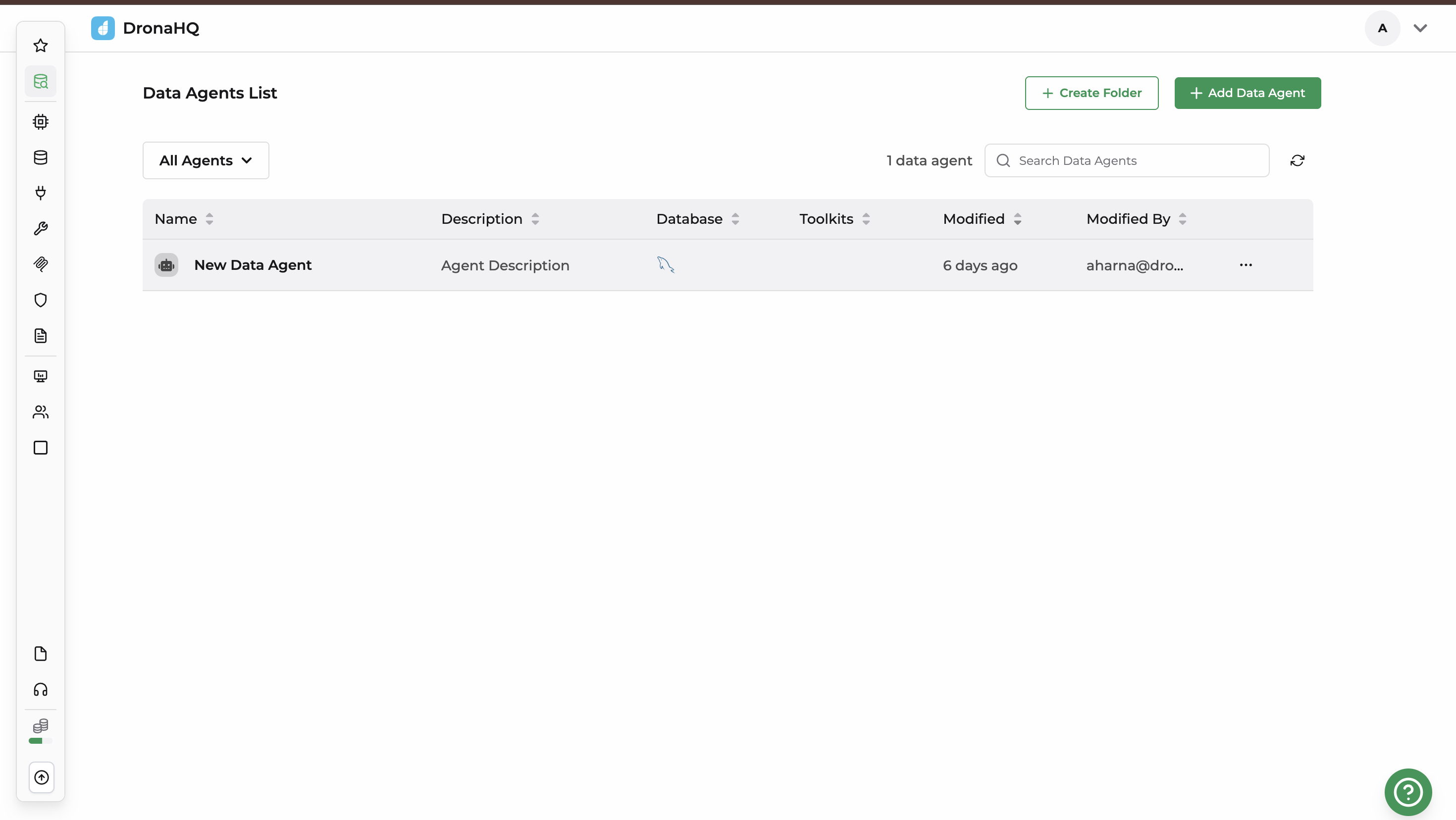
1. Database Configuration
Before the Data Agent can answer questions, you must connect it to a data source and specify which schemas are accessible.
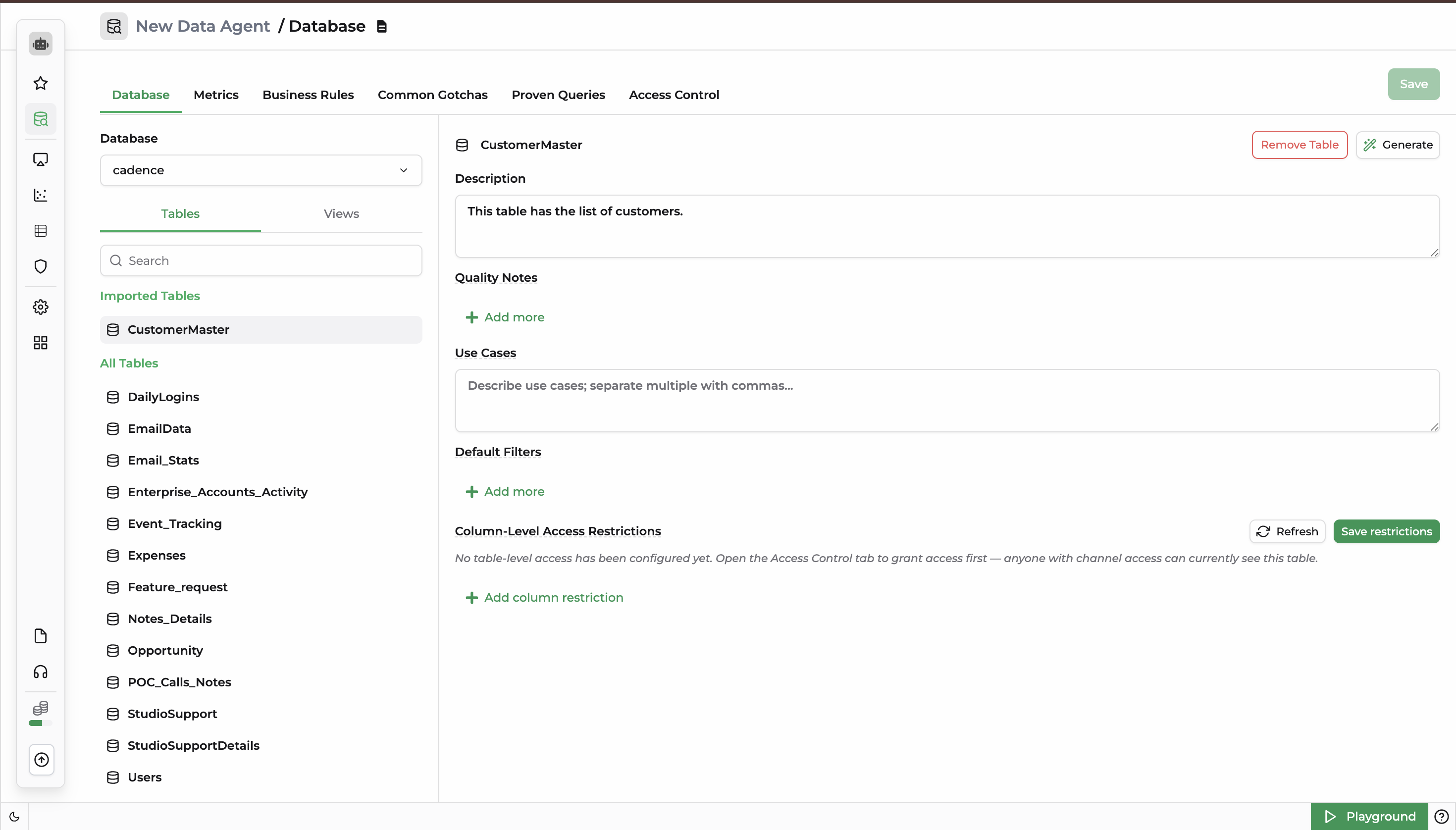
Schema Definition & Selection
Active Database: Displays the currently connected database instance identifier (e.g.,
dhqtestdb).Data Structures:
- Tables: The core physical tables containing raw data records.
- Views: Virtual tables generated by queries.
2. Metrics
A Metric is a standardized business number with a fixed definition (e.g., Revenue, Churn). Defining metrics prevents the agent from guessing how to calculate core business KPIs.
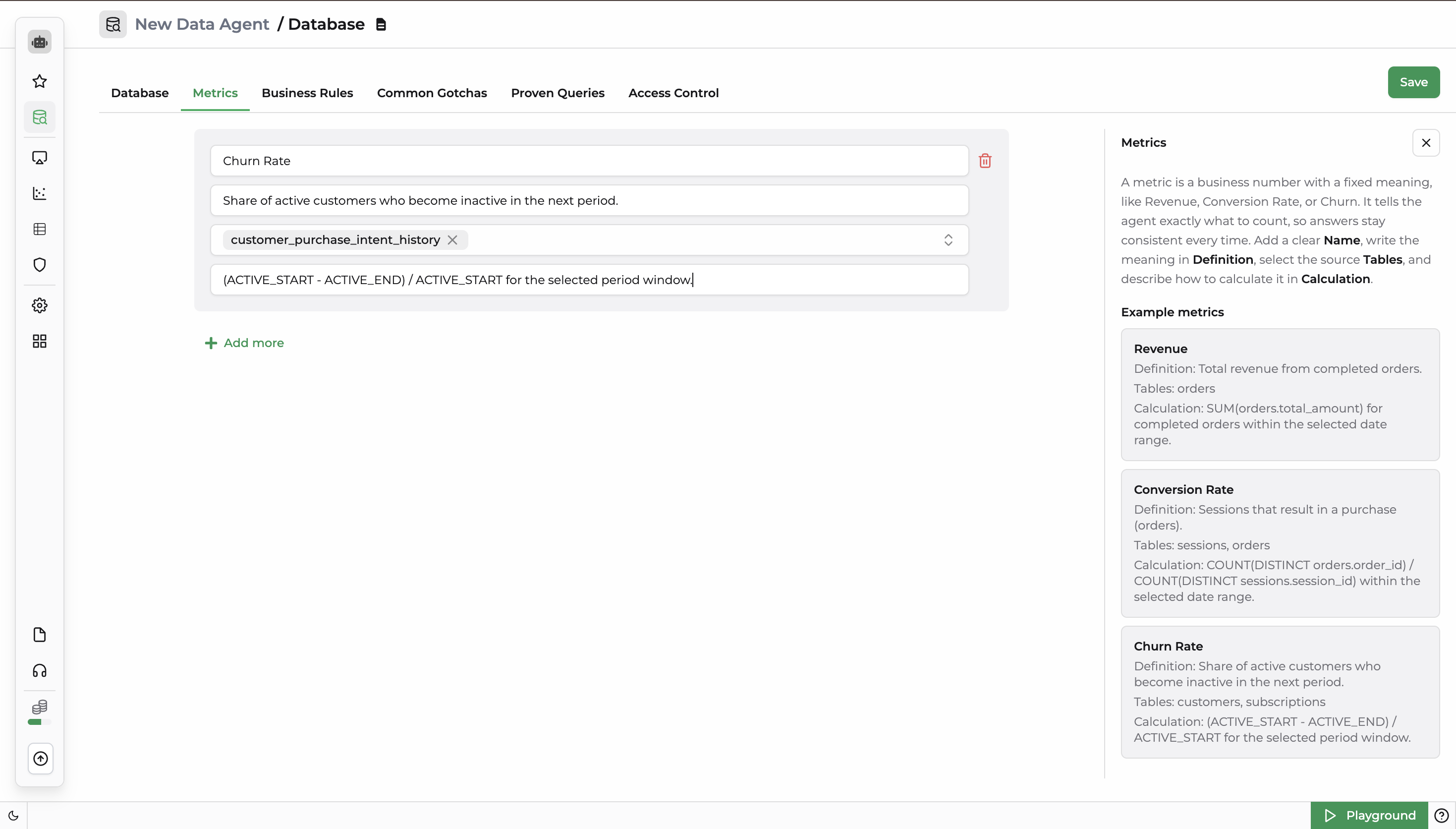
Add New Metrics
When adding a metric via the + Add more button, you must define the following schema fields:
- Name: The unique identifier for the KPI.
- Definition: A clear explanation of what the metric represents.
- Tables: The source table(s) the agent must query to compute the metric.
- Calculation: The explicit mathematical/SQL logic used to derive the number.
Practical Examples
| Metric Name | Definition | Source Tables | Calculation Logic |
|---|---|---|---|
| Revenue | Total revenue from completed orders. | orders | SUM(orders.total_amount) for completed orders within the selected date range. |
| Conversion Rate | Sessions that result in a purchase (orders). | sessions, orders | COUNT(DISTINCT orders.order_id) / COUNT(DISTINCT sessions.session_id) within the selected date range. |
| Churn Rate | Share of active customers who become inactive in the next period. | customers, subscriptions | (ACTIVE_START - ACTIVE_END) / ACTIVE_START for the selected period window. |
3. Business Rules
Business Rules act as behavioral guardrails. They act as "how we count it" notes that force the agent to interpret data patterns uniformly across different context windows.
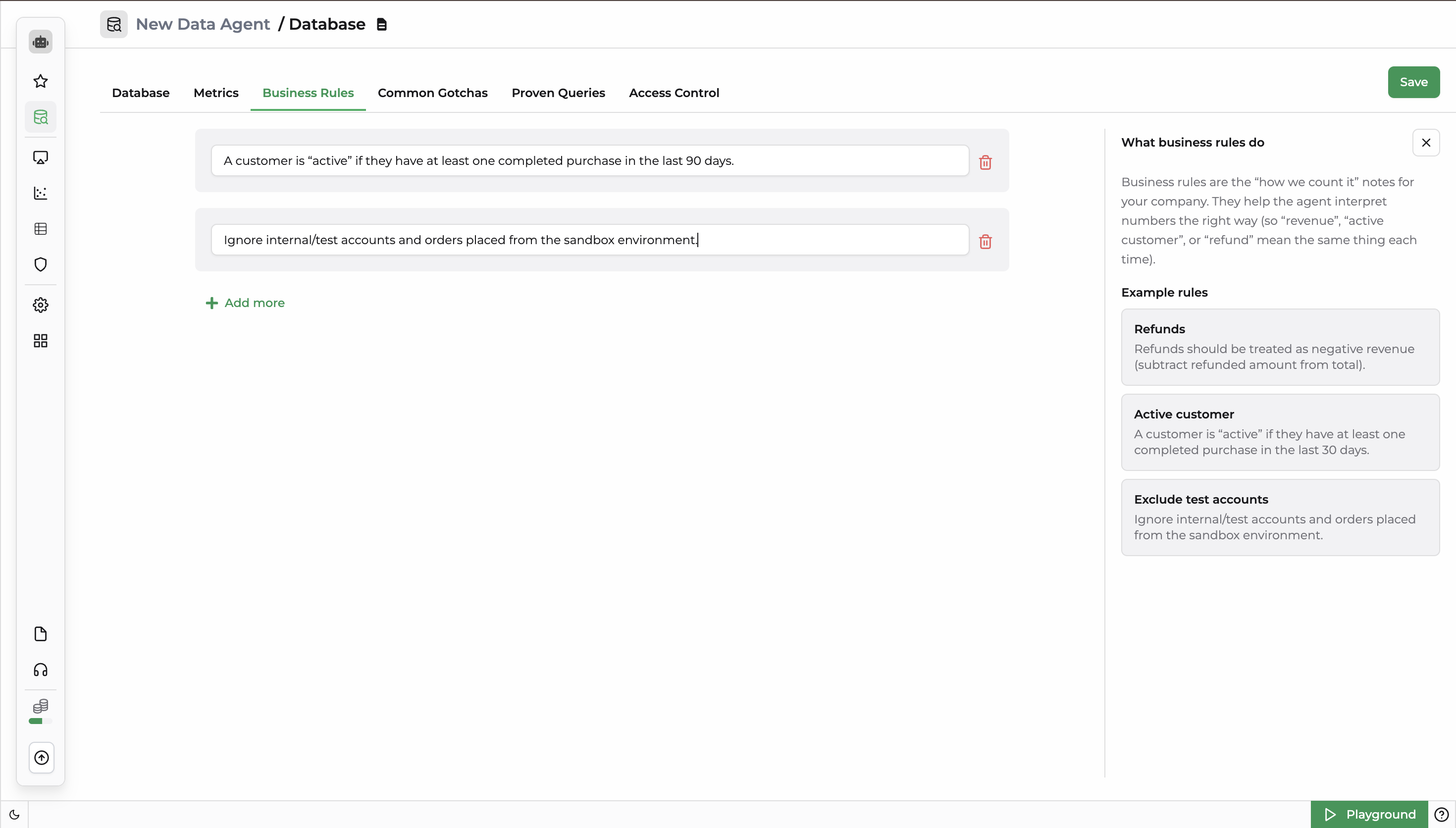
Add a New Business Rule
Click + Add more to append a business rule. The agent parses these rules as global logic filters before generating any internal data payloads.
Practical Examples
- Refunds: Refunds should be treated as negative revenue (subtract refunded amount from total).
- Active Customer: A customer is considered "active" if they have at least one completed purchase in the last 30 days.
- Exclude Test Accounts: Ignore internal/test accounts and orders placed from the sandbox environment.
4. Common Gotchas
Common Gotchas outline structural anomalies or "watch out" situations hidden within your data models. Documenting these prevents the agent from making repetitive analytical errors.
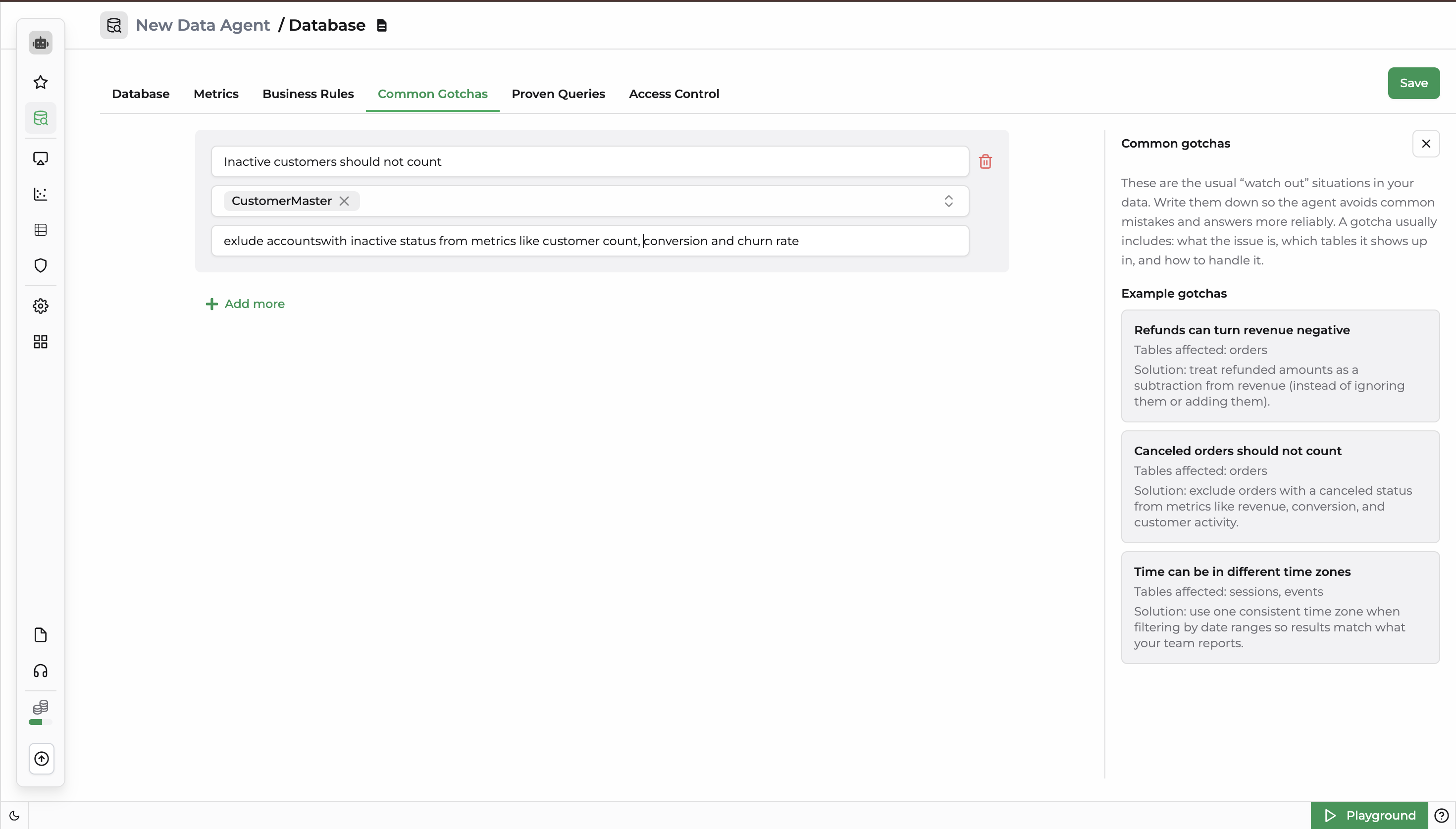
Add a New Common Gotcha
Each gotcha entry requires:
- Issue Description: What the data quirk is.
- Tables Affected: The specific database targets where the issue occurs.
- Solution: Explicit instructions on how the agent must handle or mitigate the anomaly.
Practical Examples
| Gotcha / Data Issue | Tables Affected | Solution / Handling Instructions |
|---|---|---|
| Refunds can turn revenue negative | orders | Treat refunded amounts as a subtraction from revenue (instead of ignoring them or adding them). |
| Canceled orders should not count | orders | Exclude orders with a canceled status from metrics like revenue, conversion, and customer activity. |
| Time can be in different time zones | sessions, events | Use one consistent time zone when filtering by date ranges so results match what your team reports. |
5. Proven Queries
Proven Queries are pre-verified SQL templates that work out of the box. When a user asks a high-frequency question, the agent prioritizes executing these exact templates over generating new SQL from scratch.
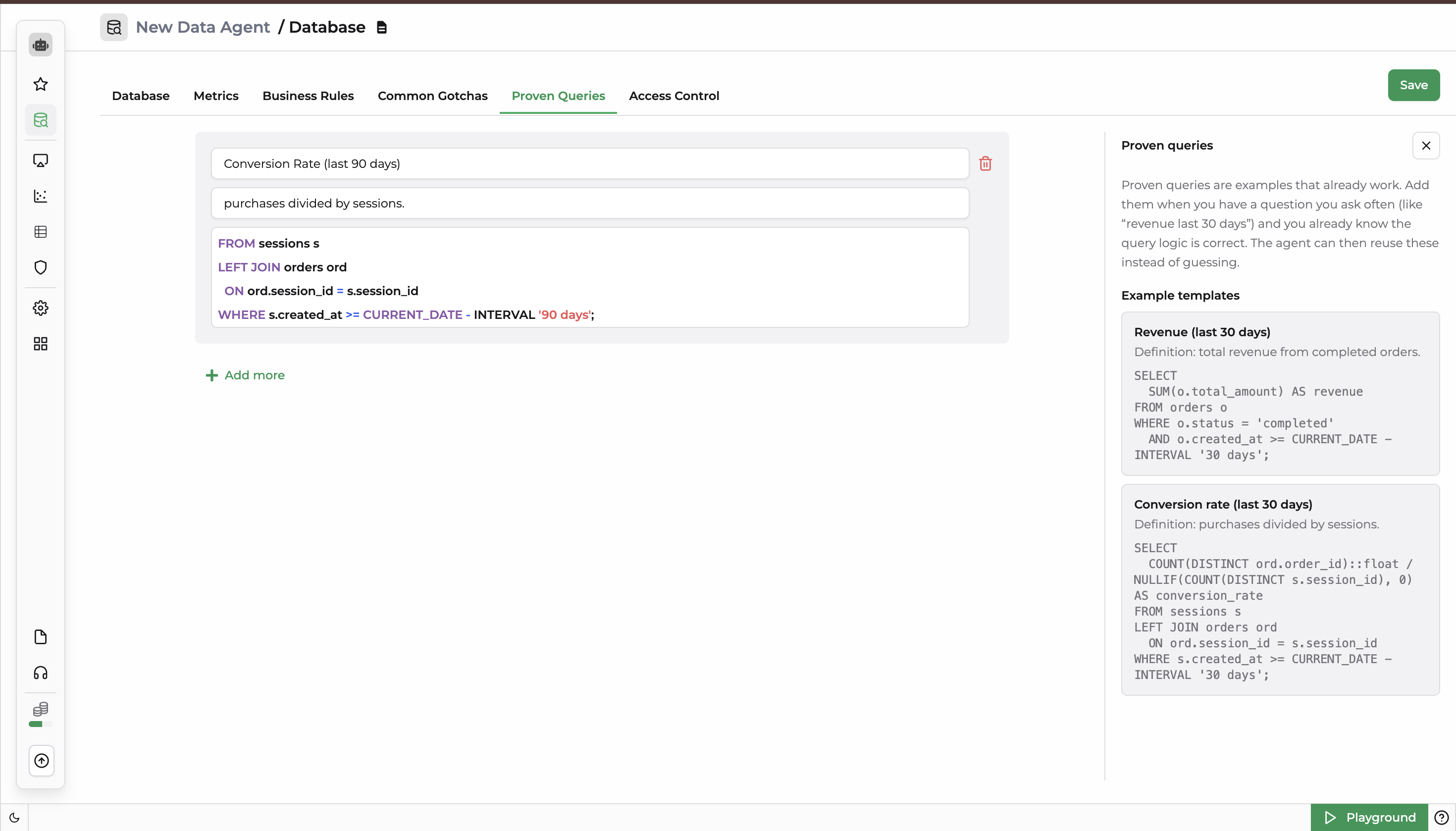
Add a New Proven Query
To add a new entry under the Proven Queries section, click the + Add more button and configure the following fields:
- Name: A short, descriptive identifier for the high-frequency question (e.g., Active Users Count).
- Description: A clear explanation of the specific business logic the query handles and its intended output context.
- SQL Query: The pre-verified, executable query syntax that the Data Agent will use directly instead of generating new logic.
Practical Examples
Template 1: Revenue (Last 30 Days)
Definition: Total revenue from completed orders.
| Template Name | Definition | Verified SQL Query |
|---|---|---|
| Revenue (last 30 days) | Total revenue from completed orders. | sql<br>SELECT<br> SUM(o.total_amount) AS revenue<br>FROM orders o<br>WHERE o.status = 'completed'<br> AND o.created_at >= CURRENT_DATE - INTERVAL '30 days';<br> |
| Conversion rate (last 30 days) | Purchases divided by sessions. |
6. Access Control
Access Control governs which data structures the Data Agent is allowed to read, query, and expose to end-users.
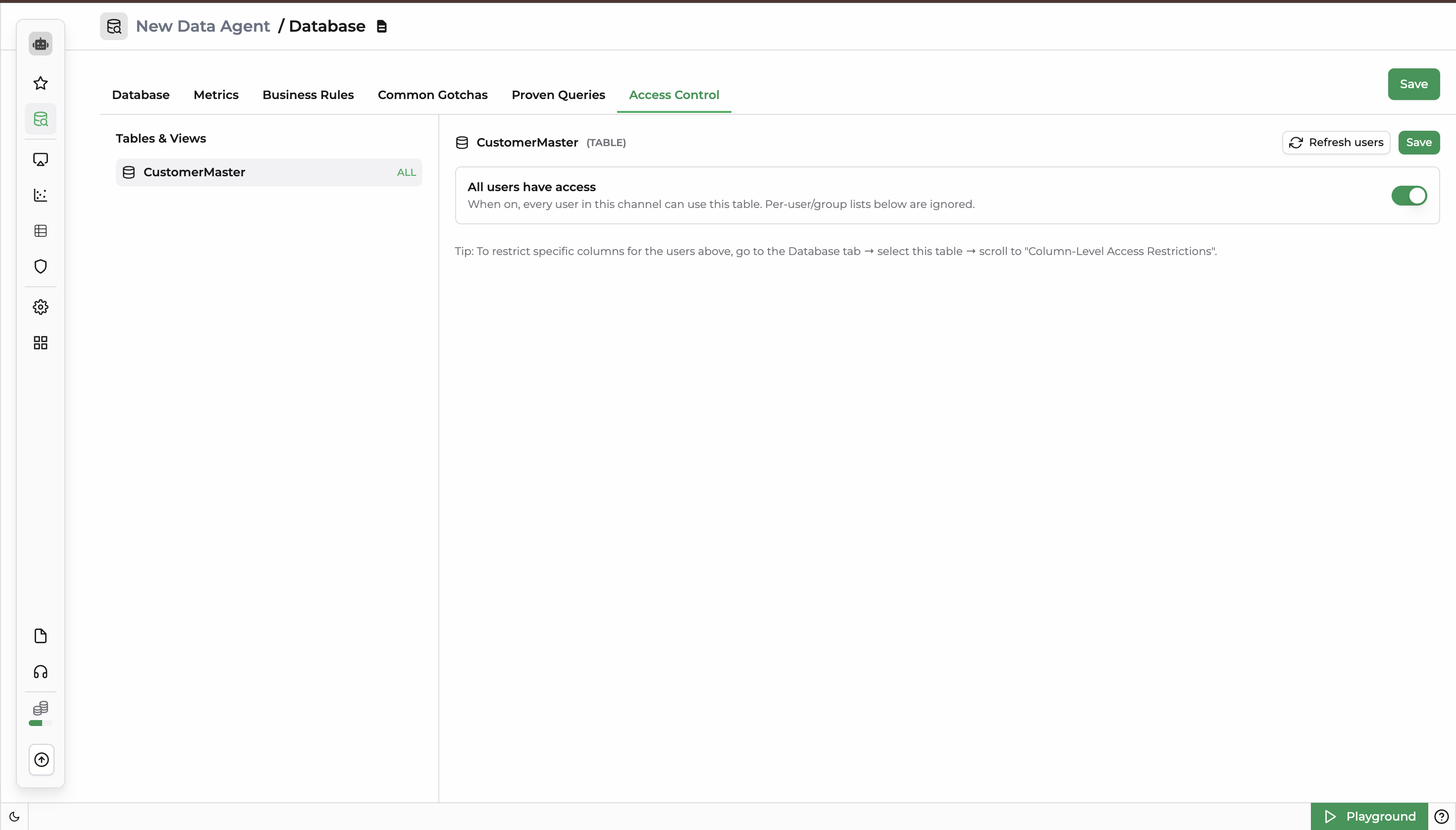
Global Access
- When Enabled (ON): Every user in the current workspace channel is granted permission to query this table. Any custom per-user or per-group restriction lists configured below are ignored.
- When Disabled (OFF): Access is strictly restricted to the explicitly defined users or security groups assigned to the asset.
Tip: Global or user-level access grants full-table visibility by default. To restrict access to specific sensitive columns for authorized users, navigate to the Database tab → select table → scroll down to Column-Level Access Restrictions.
Refresh Configuration
Use Refresh users to pull the latest user/group list from your DronaHQ account directory, and click Save to apply changes.
Frequently Asked Questions (FAQs)
1. What is a Data Agent and how does it work?
A Data Agent is an AI-powered assistant that connects directly to your databases and answers business questions using verified data. It combines database schemas, predefined metrics, business rules, common data handling instructions, and proven SQL queries to generate accurate insights, execute trusted queries, and reduce the risk of hallucinated answers.
2. Why should I define metrics in a Data Agent?
Defining metrics ensures that important business KPIs such as Revenue, Conversion Rate, and Churn Rate are calculated consistently across all queries. Instead of guessing formulas, the Data Agent follows the exact metric definitions, source tables, and calculation logic you provide, resulting in reliable and repeatable analytics.
3. What are Business Rules in a Data Agent?
Business Rules are organization-specific instructions that guide how the Data Agent interprets and processes data. They act as analytical guardrails by enforcing standardized logic, such as treating refunds as negative revenue, excluding test accounts, or defining what qualifies as an active customer. This helps maintain consistency across reports and analyses.
4. What are Proven Queries and why are they important?
Proven Queries are pre-validated SQL templates for frequently asked business questions. When a user asks a question that matches a proven query, the Data Agent prioritizes executing the verified SQL instead of generating new queries from scratch. This improves accuracy, reduces query generation errors, and delivers faster results.
5. How does Access Control improve Data Agent security?
Access Control determines which users, groups, tables, and columns the Data Agent can access. Administrators can grant global access to all workspace users or restrict permissions to specific individuals and security groups. Combined with column-level restrictions, Access Control helps protect sensitive data while ensuring users only see information they are authorized to access.