Overview
Once a Transcriber Model is selected (see Transcriber Model Selection), the Transcriber Settings panel opens for that model. This document covers the settings available in this panel and what each one controls.
Getting these settings right directly affects how accurately and quickly the agent understands what a caller said — a badly tuned Confidence Threshold or missing Keyterms can mean the agent mishears a name, an account number, or a key instruction before the LLM ever sees it.
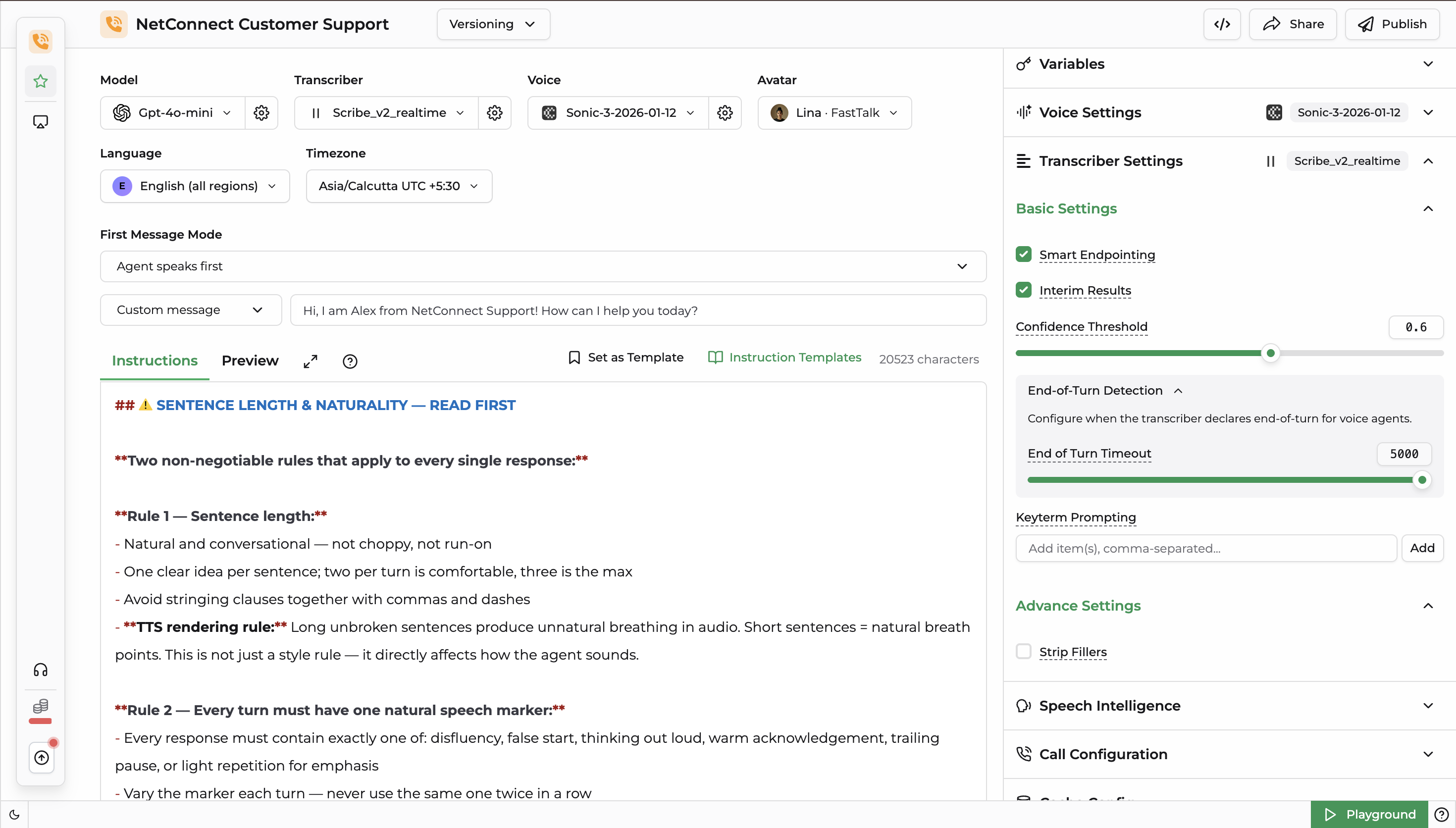
The Transcriber Settings panel changes depending on the model selected — not just by provider, but by model within the same provider. For example, Deepgram's nova-3-medical exposes a Keyterms field, while nova-2-finance does not — it instead exposes Speech Intelligence and Call Configuration sections. The panel only shows the controls the selected model actually supports.
1. Basic Settings
| Setting | Description |
|---|---|
| Smart Endpointing | Uses the model's own speech/silence detection to decide when the caller has finished speaking, instead of relying on a fixed silence timeout. |
| Background Denoising | Filters out background noise from the input audio before transcription. |
| Interim Results | Streams partial, in-progress transcripts as the caller is still speaking, rather than waiting for a finished utterance. |
| Confidence Threshold | The minimum confidence score a transcribed segment must meet before it's treated as final and passed to the LLM. |
| Use Numerals | Converts spoken numbers into digit form in the transcript (e.g. "twenty" → "20"). |
| Profanity Filter | Masks or removes profane words from the transcript. |
| Keyterms / Keyterm Prompting | A list of words or phrases (e.g. product names, account terms) added to bias the model toward recognizing them correctly. |
2. Additional Sections
End-of-Turn Detection
Controls how the model decides the caller has finished their turn and it's time for the agent to respond — separate from silence-based Smart Endpointing, this uses the model's own turn-detection signals.
Speech Intelligence
Domain-aware analysis layered on top of the raw transcript, specific to the selected model's specialization (e.g. finance, medical).
Call Configuration
Call-level transcription behavior for the selected model, such as how it handles telephony audio conditions.
Advanced Settings
| Setting | Description |
|---|---|
| Strip Fillers | Removes filler words (e.g. "um", "uh") from the transcript before it reaches the LLM. |