SIP Trunking
SIP Trunking lets you connect your voice agent to an existing SIP trunk instead of importing a number directly from Twilio or Plivo. If you already have a trunk with a carrier — Twilio Elastic SIP, Plivo Zentrunk, or any other SIP-compliant provider — you can keep using it, keep your existing rates, and route calls through your existing infrastructure.
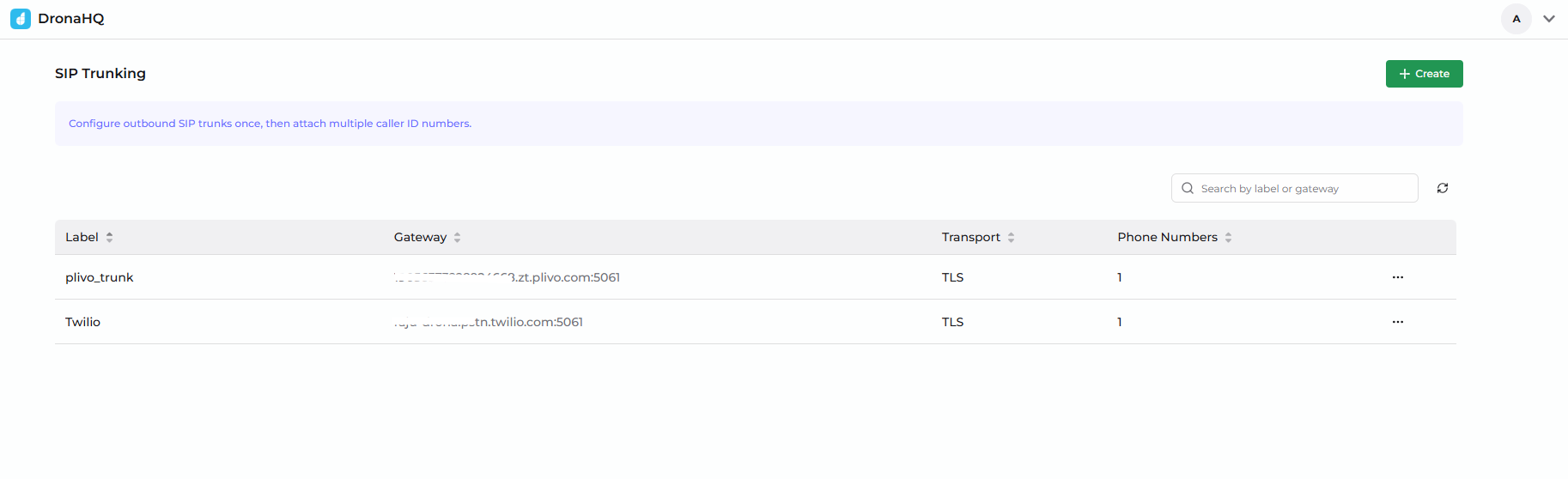
What You Get with SIP Trunking
- Bring your own carrier — keep your existing carrier contract and rates
- One trunk, many numbers — attach multiple phone numbers to a single trunk
- Works with any compliant SIP carrier — the same form supports Twilio, Plivo, and others
- Encrypted at rest — gateway credentials are encrypted before they are saved
What You'll Need from Your Carrier
Whatever your carrier is called, the configuration you bring to DronaHQ is the same:
| Item | What it is | Where to find it |
|---|---|---|
| SIP Gateway Host | The hostname your carrier accepts SIP traffic on | Termination URI / Termination SIP Domain in your carrier's console |
| Port | The SIP port (5060 for UDP/TCP, 5061 for TLS) | Standard ports — 5060 is the default, 5061 is required when TLS is used |
| Transport | UDP, TCP, or TLS | Your carrier's SIP settings; TLS is required for "secure trunking" |
| SIP Auth Username | Digest authentication username | Your carrier's credential list / outbound trunk credentials |
| SIP Auth Password | Digest authentication password | Same place as the username |
The Two-Step Model
Configuring SIP Trunking is a two-step process:
Step A — Add the SIP Trunk
You register the trunk itself (gateway host, port, transport, credentials) once. This is done from Voice Agent → SIP Trunks → Add SIP Trunk.
Step B — Add Phone Numbers to the Trunk
For each phone number that should be reachable via this trunk, you add it from Voice Agent → Phone Numbers → Add Phone Number → SIP Trunking, and select the trunk from a dropdown.
A single trunk can serve many phone numbers, so Step A only happens once per trunk.
SIP Trunking currently supports outbound calls only — your agent places calls through the trunk. Inbound SIP routing is coming soon.
Supported Carriers
The same SIP Trunking form works with every compliant carrier. We provide dedicated step-by-step guides for the two most common ones:
Other carriers (e.g., Telnyx, Vonage, Bandwidth, your own PBX) work too — collect the five values listed in the table above and follow either guide as a structural reference.
Choosing a Transport
| Transport | Port | When to use |
|---|---|---|
| UDP | 5060 | The traditional default — fine for development and lab testing |
| TCP | 5060 | Use when your carrier requires TCP signalling |
| TLS | 5061 | Recommended for production — encrypts SIP signalling. Required when your carrier has "secure trunking" enabled |
Use TLS for any trunk that handles real customer traffic. TLS protects the SIP signalling (call setup metadata) from being observed on the wire. Media may also be encrypted via SRTP when both sides support it.
What's Next
- Configure a SIP Trunk with Twilio
- Configure a SIP Trunk with Plivo
- Telephony Introduction — back to the overview